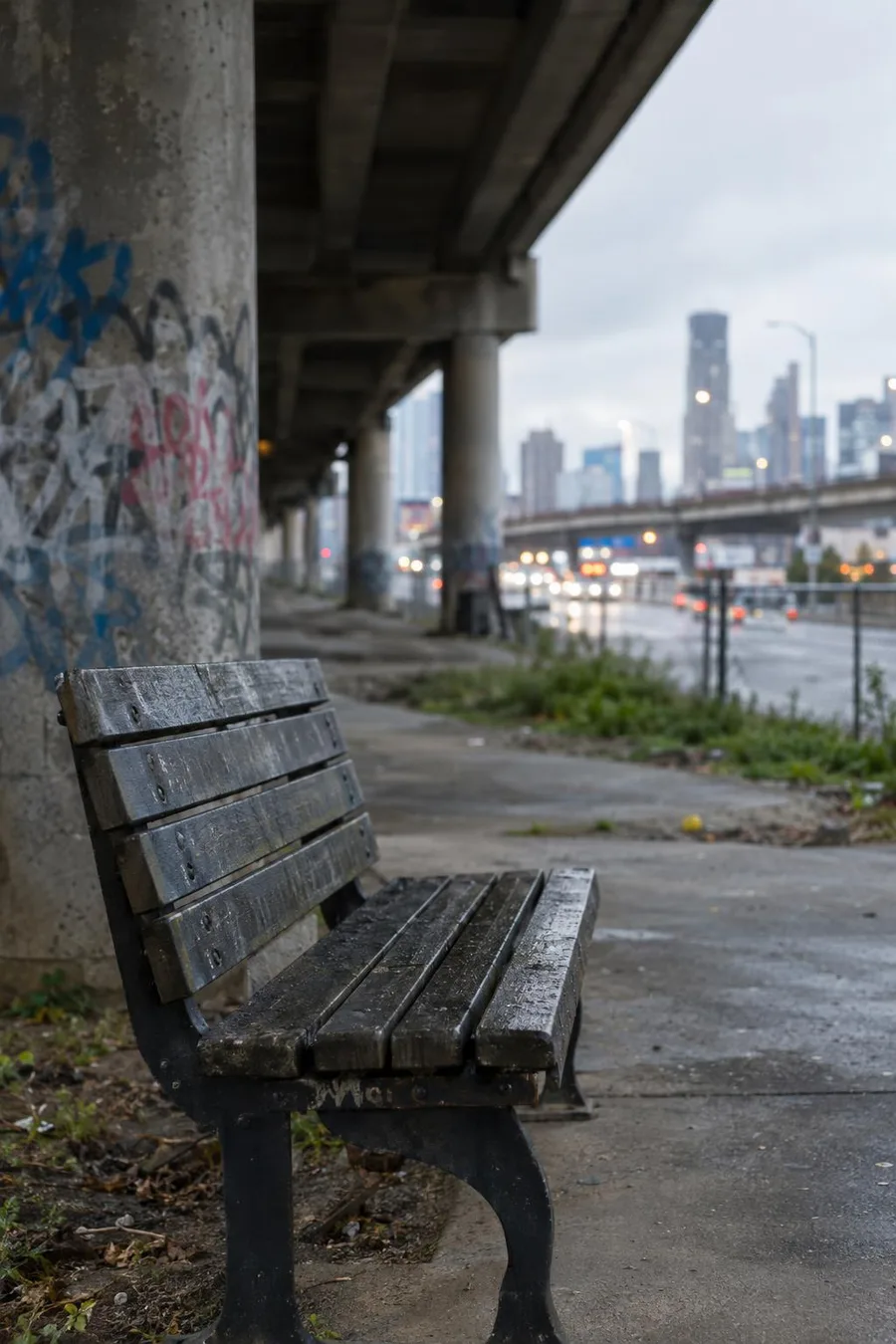
Scene preview only. Generated character, motion, and framing can differ from this still.
chill · 9:16 street meme template
Overpass Bench AI Meme Video Template
Grey daylight. Soft volume. Choose a character, add one line of dialogue, and select an 8- or 16-second clip. Review resolution and credit cost before generating. The scene image shows the template setting; your generated character, motion, and final result may vary.
What this street template sets up
A chill street-meme set with locked camera and scene. You change character, dialogue, duration, resolution, and voice.
Punchline ideas for overpass bench jokes
- “Background noise for my main character arc.”
How to make your clip
- 1. Open Create with Overpass Bench preselected.
- 2. Choose an original character or upload a still you have rights to use.
- 3. Edit one line of dialogue.
- 4. Select duration and resolution, then confirm credit cost before generating.
Duration, resolution, and credit costs
An 8-second clip costs 1 credit at 720p or 0.5 credit at 480p. A 16-second clip costs 2 credits at 720p or 1 credit at 480p. Credits spend only after confirmation.
See Pricing for pack rates and unit costs before tax.
Related street meme templates
Frequently asked questions
What can I change in this template?
Choose your character, write the dialogue, and select the clip duration, resolution, and voice option. The template provides the starting street scene.
How many credits does a clip cost?
An 8-second clip costs 1 credit at 720p or 0.5 credit at 480p. A 16-second clip costs 2 credits at 720p or 1 credit at 480p. Check the confirmation screen before generating.
Does the scene image show the final video?
The image previews the setting. The generated video adds your character and motion, so the final result can differ from the scene preview.